
This Studio sells premium Squarespace website templates for online service providers. My templates are designed with a focus on selling services and converting visitors into clients. This post explains one of my templates, what’s included and how you can use it to grow your business.
This is Harlow.
THE INSPIRATION BEHIND THE TEMPLATE
The brand for each of my templates is inspired by a major city and Harlow was inspired by Cape Cod.
The ocean / Lighthouses / Americana
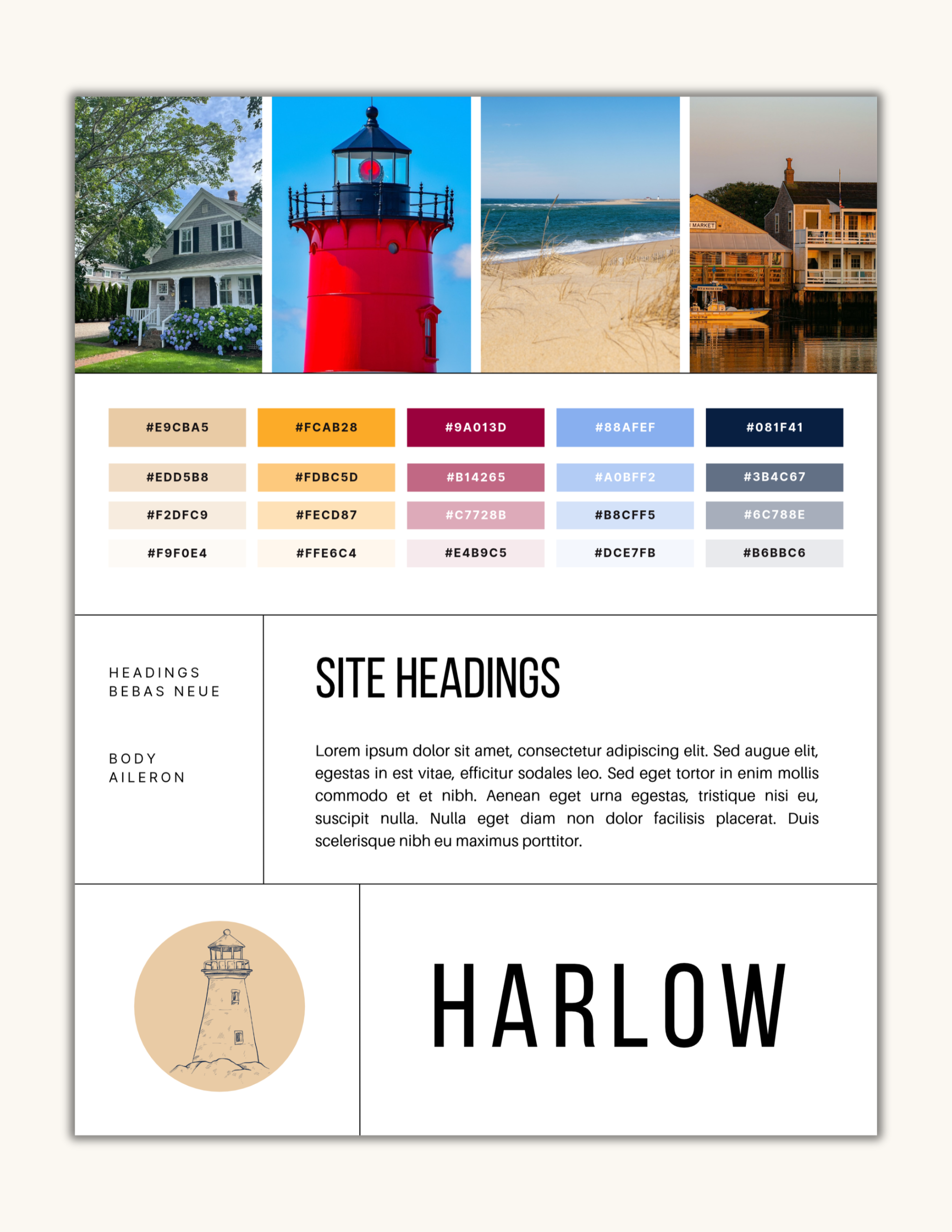
For every template, I first create a collection of imagery on Unsplash. Then, I choose some images with a broad color palette and put them into the template brand board.
From there, I’m able to use Canva’s eye dropper tool to put together a palette of five colors that will become the template’s brand. After that, I choose the font pairing and the symbol I’m going to use on the template.
Even though my templates can be adapted to any online service provider, I will choose a specific type of business to use in the template design. This way, I can maintain consistency throughout so the pages make sense together. It also makes it easier for my customers to replace the placeholders with their own content without having to rearrange any of the elements.
Harlow was designed for a copywriter.
THE CORE TEMPLATE PAGES
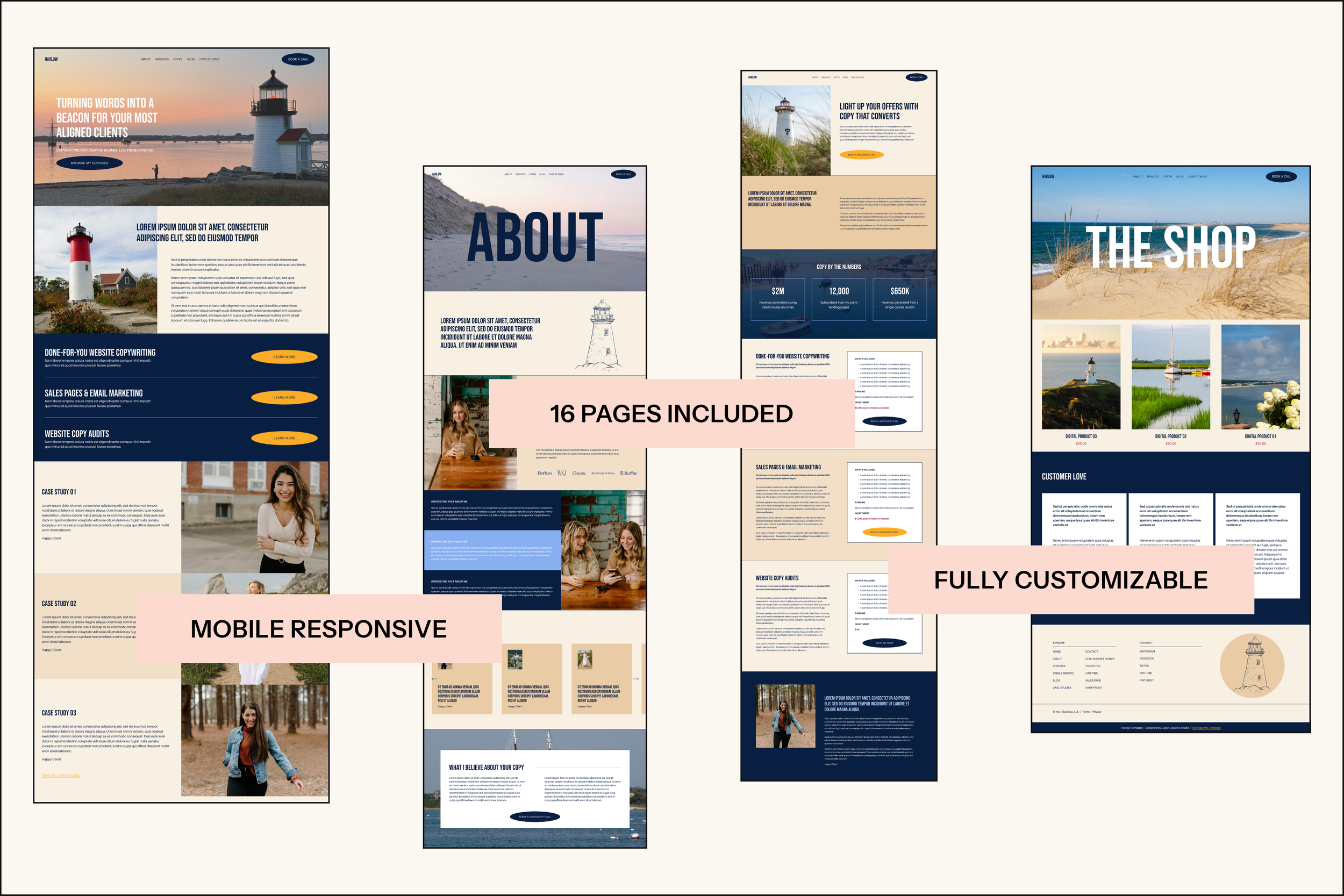
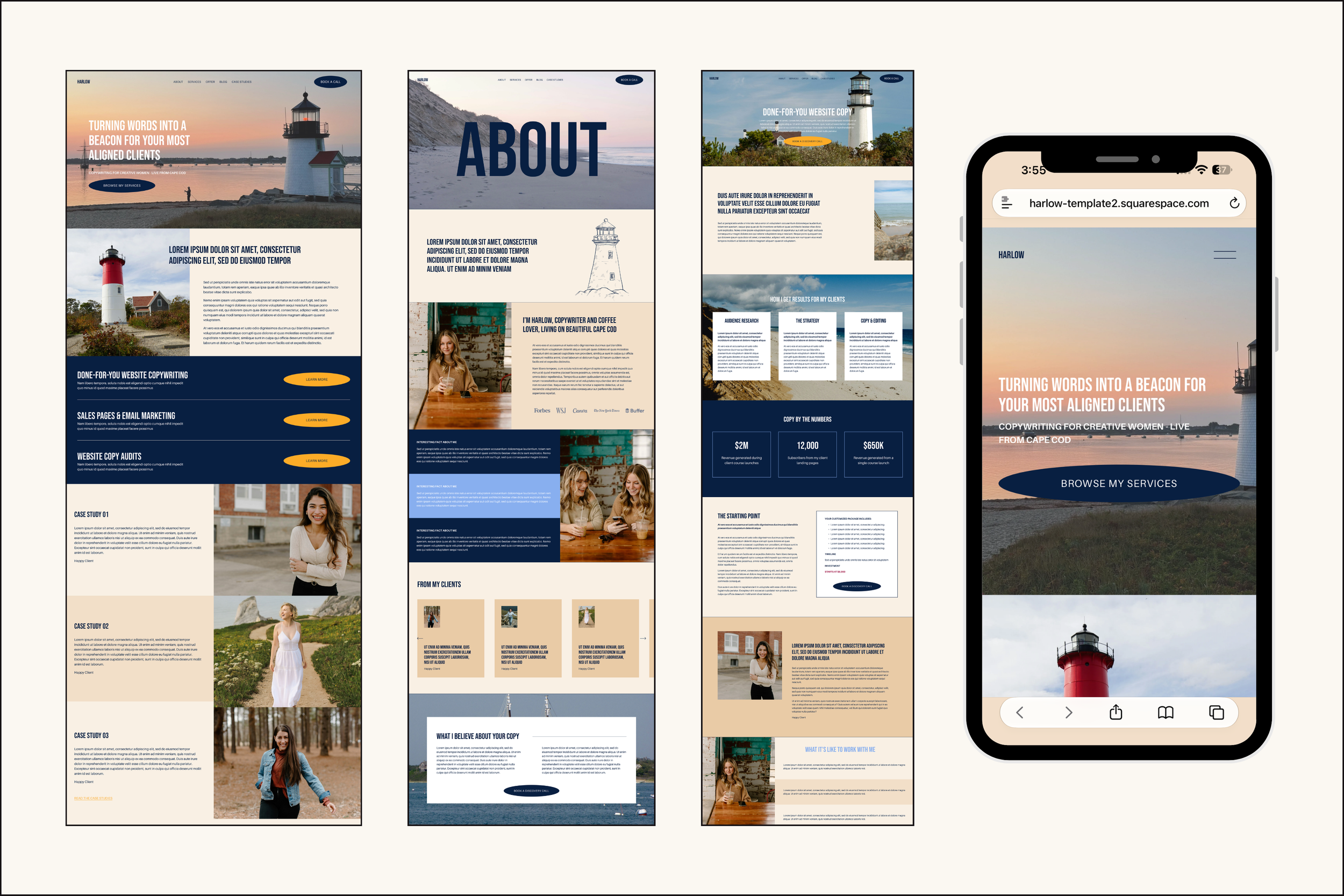
Harlow comes with eight core pages. These are the pages a service provider would need in order to attract clients and communicate value and offerings.
Home
About
Services Overview (this page can be used to hold all of your services)
Single Service (this page can be used for just one service)
Case Studies (this page can also become the portfolio)
Shop Front
Blog
Contact
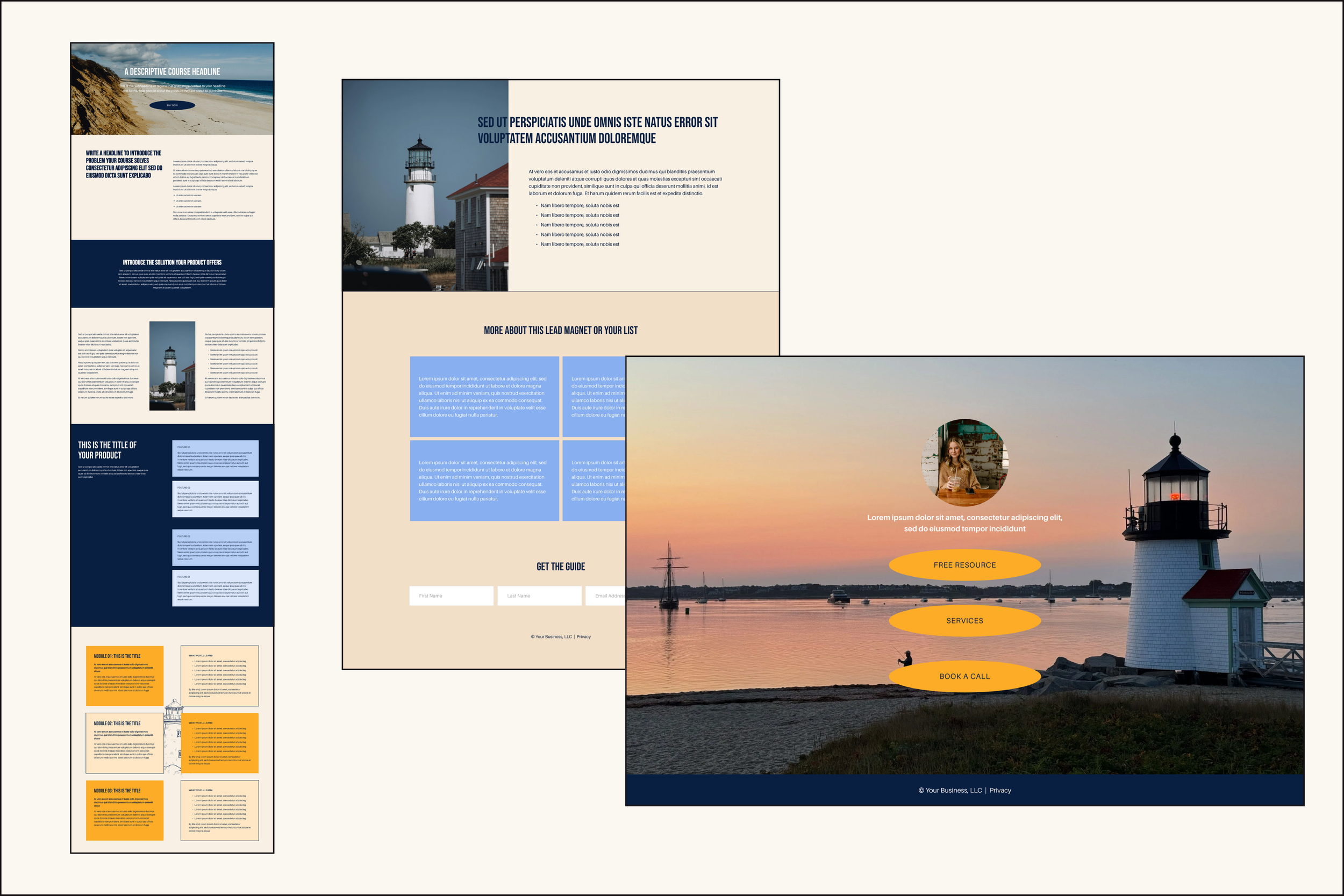
The template also comes with four marketing pages.
A lead magnet page to use as a signup page for a freebie
A thank you page to redirect new subscribers after they sign up for your freebie
A linktree page for your social media
A long-form sales page for a course or program
And finally, the template comes with extra pages to get your website started.
A blog post page that you can use to start your blog (there are three)
A 404 page to replace the standard Squarespace page
A page for your terms and conditions*
A page for your privacy policy*
*These pages are for legal policies, so they are blank. I can’t supply these terms for you, but there are resources in the workbook to help you generate them for your business.
Each page is thoughtfully designed to make it easy for you to insert your copy and imagery. The purpose of my templates is to give you a head start on getting your business online.
WHAT YOU’LL NEED FOR THE TEMPLATE
Squarespace is a self-contained platform so you won’t need any plugins or external software. To use the Harlow template, you’ll just need a few things:
A brand that includes a color palette and font pairing (you don’t even need a logo if you don’t have one)
Your copy for each page
Imagery to replace what’s currently there
A domain URL
The Squarespace Core plan or higher
You’ll get resources to help you gather each of these things.
THE COLLATERAL
Squarespace is fairly easy to learn and my templates don’t use very advanced coding or elements so that you can customize your template without any hassle. Each template comes with the following collateral.
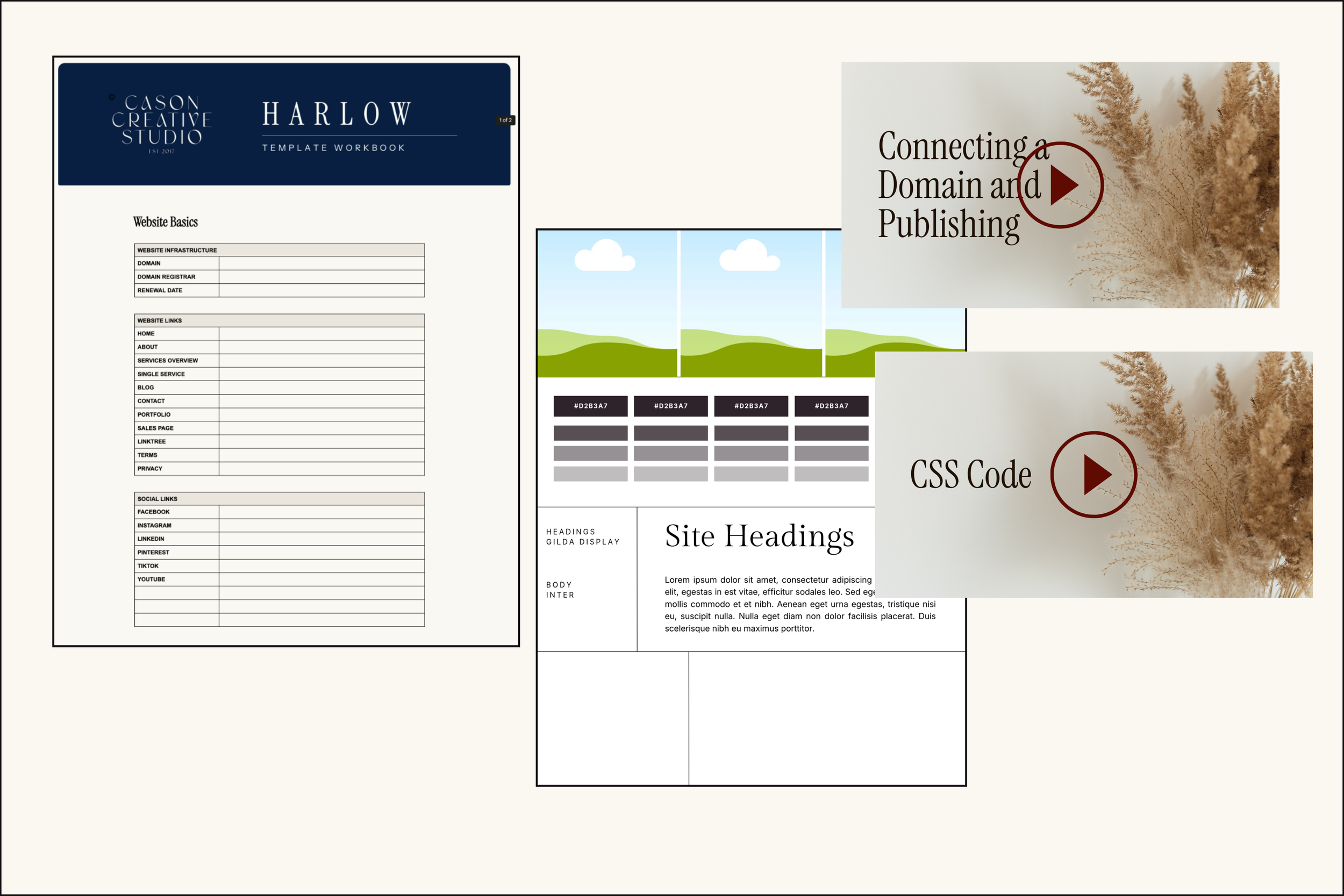
A Google doc workbook: The template workbook contains tabs for each page with boxes laid out to follow the page format. This way, you can write your copy for each section of the page. The goal is for you to replace each piece of content on a one-to-one basis instead of having to rearrange elements.
Canva templates: The Harlow template uses imagery taken directly from Unsplash. But I include some design templates that live in Canva (like a brand board) that you can use if you need them.
An extended trial: The standard Squarespace trial period is 14 days. When you buy one of my templates, you will get an extended 3-month trial. This means you can take your time with customizing the template before you have to choose a paid plan.
A plan discount: When it’s time to publish your website, you’ll get a 10% discount on your first annual subscription. It doesn’t apply to monthly plans though. This is a Squarespace rule and there’s nothing I can do about it.
The Resource Library: I have put together a library of resources for different areas of Squarespace. It also contains videos where I walk you through how to connect your domain and publish.
EXPANDING THE TEMPLATE
The Harlow template is just the beginning for your website. You can replace the copy and imagery, hit publish and be done.
Or you can add more. The sky’s the limit.
One of the immediate ways you can expand the template is by duplicating the Single Service page for each of the services you offer.
You can also set up a shop using the Shop Front page if you want to sell products.
And inside the template, I have included two helpful pages:
Template Resources: This is a page that contains information specific to the template and links to external resources.
Style Guide: This is a page that contains a section for each color theme so you can see how they work on the template and make all the necessary changes in one place.
Plus, I’ve included a folder with copies of each of the core pages. So if you mess up a page and need to start over, you have the original pages right there.
I’ve made it as easy as possible for you to get Harlow customized and ready to publish in just a week (less if you’re dedicated).
BUYING HARLOW
Ready to get started with Harlow? You have three options.
01 | DIY YOUR TEMPLATE
If you want to take your time and customize every part of Harlow yourself, you can buy just the template. It comes with all the listed collateral. You’ll receive the template “as is” into your Squarespace account. You’ll get the template within 48 hours.
02 | WITH STYLING
Get a head start on customization by having me add your brand before sending you the template. This includes changing the color palette to yours and adjusting the color themes, changing the fonts and adding your logo and favicon. You’ll get the template within two business days.
BUY THE HARLOW TEMPLATE WITH STYLING
FULL CUSTOMIZATION
If you want a more hands-off experience, you can work with me to turn Harlow into your website. This includes customizing all of the core pages with your copy and imagery (provided by you). You’ll get the completed template for you to publish when you’re ready. This takes about two weeks.
EXPLORE OTHER TEMPLATES
Harlow is just one of the templates in my shop. If she isn’t your vibe, look through the others to find the one that will work for your business.
